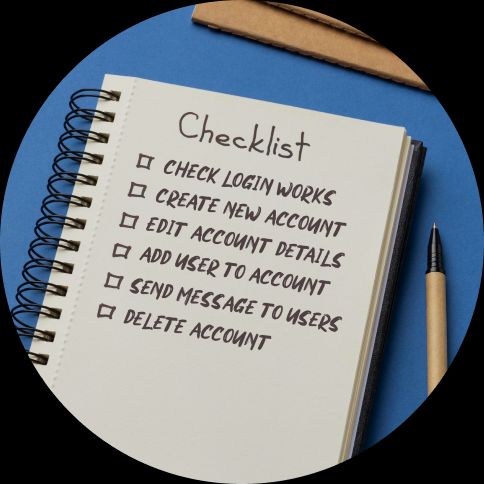
estpad's custom GPT is a free tool that turns a simple feature description into a ready-to-use test script in minutes. Writing test scripts for a new feature from scratch doesn't need to take over your day any more – just describe what you're testing to our custom GPT, review the output, and paste into Testpad.
Here's the process:
- Go to our custom GPT
- Describe what you're testing (can be brief: "login system" or detailed with feature lists)
- Get back organised test prompts in Testpad's format
- Review and adjust for your product – iterate and repeat as needed
- Paste into Testpad
The custom GPT handles brainstorming test scenarios and formatting them properly. You focus on making them relevant to your specific product.
What should I tell the custom GPT?
More detail gets better output, but even minimal descriptions work.
Minimal: "I want to test a login page of a web app"
Gets you basic coverage:
Credentials
  Valid username and password signs in successfully
  Invalid password is rejected
  Unknown username is rejected
  Blank username is rejected
  Blank password is rejected
  Blank username and password are rejected
  Leading and trailing spaces are handled correctly
  Username is treated with expected case sensitivity
Session and navigation
  Successful login lands on the correct page
  Authenticated user can access protected pages
  Unauthenticated user is redirected to login for protected pages
  Back navigation does not reopen login after successful sign in when already authenticated
  Session starts only after successful authentication
Error handling
  Error message is shown for invalid credentials
  Error message is clear without exposing sensitive details
  Error state clears after correcting input
  Multiple failed attempts are handled correctly
  Login remains available after a failed attempt
By adding more detail you can get more useful and comprehensive test prompts.
Feature-focused: "Create a Testpad-formatted test plan for a restaurant booking web app"
Gets you testing organised by feature:
Restaurant booking
  Reservation creation
    Select date and time
    Choose party size
    Receive confirmation
  Reservation management
    View existing reservations
    Modify reservation details
    Cancel reservation
Menu viewing
  Browse menu
    Filter by category
    Search for specific items
    View item details and prices
Reviews
  Write reviews
    Submit rating and text
    Upload photos
  Browse reviews
    Filter by rating
    Sort by date
The more information you give, the more specific your test prompts will be.
Detailed: "Create a Testpad-formatted test plan for a shopping cart for an e-commerce site. Users should be able to: add/remove items, update quantities, apply discount codes, see shipping estimates, save cart for later"
Gets you targeted testing covering your specific requirements:
Shopping cart
  Cart management
    Add items from product pages
    Remove items from cart
    Update item quantities
    Clear entire cart
  Discount codes
    Valid code applies discount
    Invalid code shows error
    Expired code displays warning
    Multiple codes handled correctly
  Shipping estimates
    Estimates update with cart changes
    Different shipping methods display
    International shipping calculates correctly
  Save for later
    Save cart when logged in
    Restore saved cart
    Saved cart persists across sessions
What needs reviewing after generation?
Every generated script needs human review before use:
Cut the irrelevant – The custom GPT gives you a solid starting point. Remove anything that doesn't apply to your product. Testing a web app? Delete suggestions about physical packaging.
Add product specifics – The GPT doesn't know your edge cases, integration points, or bug-prone areas. Add tests based on your experience with the software.
Adjust detail level – The GPT aims for brief prompts, but you might want shorter or longer depending on who's testing and your process.
Check organisation – Sometimes logical structure doesn't match testing workflow. Reorder sections to match how you actually test.
Five minutes of review transforms generic output into a focused script for your product.
Can I give it existing requirements?
Yes, and it's often the fastest way to generate relevant tests.
Paste in:
- User stories from your backlog
- Feature specifications
- API documentation
- Design mockups (describe them)
- Acceptance criteria
The custom GPT extracts what's testable and generates appropriate prompts.
Example – paste this user story, adding an instruction such as "please keep test prompts refined":
As a user, I want to filter search results by price range, category, and availability so I can find products that match my needs.
Already have test cases in another tool? You can also use our custom GPT to import and reformat them into Testpad instead of writing from scratch.
Get back:
Price range
  Min and max sliders adjust within allowed limits and update results
  Min cannot exceed max and max cannot go below min
  Results include products within range including boundary values
Category selection
  Selecting one or more categories filters results to those categories
  Adding categories expands results and removing categories narrows results
  Clearing all categories removes category filtering
Availability
  In stock only checkbox toggles filtering of out of stock products
  Enabled shows only in stock and disabled shows all products
Filter combinations
  Price, category, and availability filters can be combined in any way
  Results always match all active filters
  Changing any filter updates results while preserving others
Clear filters
  Clear filters resets sliders, categories, and availability selection
  Clear filters restores unfiltered results from any state
Usability and edge cases
  No results state is shown when filters return no matches and can be cleared
  Filter results remain consistent regardless of application order
  Filter selections persist correctly after results update
  Applying filters does not change the search term
What if I just have a vague idea?
That works too. The custom GPT fills in common test scenarios.
Tell it "I need to test a messaging feature" and get back tests for sending messages, receiving notifications, message history, attachments, read receipts, group messaging, and more. You'll need to remove suggestions that don't apply, but it's faster than brainstorming from scratch.
How detailed should test prompts be?
The custom GPT generates brief, exploratory-style prompts that tell testers what to investigate without prescribing exact steps.
Default style: "Invalid email format rejected"
This gives testers freedom to try different invalid formats and explore edge cases.
If you need more detail, tell the custom GPT: "Make the prompts more specific" and you'll get:
More detailed: "Entering an email without '@' symbol shows validation error"
If you need less detail, say "Make the prompts briefer" and get:
Minimal: "Email validation works"
Most teams find the default style hits the right balance between guidance and exploration.
Can I generate tests for technical testing?
Yes. The custom GPT handles:
API testing: "Test the /users endpoint – supports GET, POST, PUT, DELETE with authentication required"
Gets you tests for each HTTP method, authentication checks, request validation, response codes, error handling.
Database testing: "Test the user registration database operations"
Gets you tests for record creation, data validation, uniqueness constraints, relationships, queries.
Integration testing: "Test integration between payment gateway and order system"
Gets you tests for successful payments, failures, timeouts, refunds, order state updates.
Describe the technical aspect you're testing and what it needs to do. The custom GPT generates relevant prompts.
Should I trust the custom GPT's coverage?
Trust it as a starting point, not a finished product. It handles the heavy lifting: breaking features into testable pieces, suggesting common scenarios, and formatting everything properly. What it can't do is know your product.
It doesn't know:
- Your product's actual behaviour
- Which features are stable versus buggy
- Your users' real workflows
- Technical constraints
- Business rules specific to your domain
You handle the product-specific edge cases, tests informed by historical bugs, and prioritising what actually matters. The risk is pasting and running without review. You'll test things that don't matter while missing things that do.
Can I use it for different testing types?
Yes. Tell it what type of testing you need:
- "Generate security tests for login system" – Authentication checks, password requirements, session handling, access controls
- "Generate performance tests for search feature" – Response time checks, concurrent user handling, large dataset tests
- "Generate accessibility tests for checkout flow" – Keyboard navigation, screen reader compatibility, colour contrast
- "Generate mobile-specific tests for profile page" – Touch interactions, orientation changes, different screen sizes
The custom GPT adjusts its suggestions based on the testing type.
What about edge cases?
The custom GPT suggests common edge cases, but it doesn't know your product's specific quirks.
It'll suggest generic edge cases:
- Empty inputs
- Maximum values
- Special characters
- Null/undefined values
- Boundary conditions
You add product-specific ones:
- That integration that breaks when the third-party API returns unexpected formats
- The calculation that fails for negative numbers even though it shouldn't accept them
- The race condition that happens when two users edit the same record
- The performance issue that only shows with your largest customer's dataset
Your product knowledge is what makes edge case testing valuable.
How does pasting into Testpad work?
Testpad reads indented text automatically:
- Copy the custom GPT output
- Open Testpad, create a new script or open an existing one
- Open the Import Dialog (found in the Edit menu) and paste
- Testpad converts indentation into structure
Lines without indentation become sections, indented lines become subsections, lines with "-" become test prompts.
Tips for clean imports:
- Keep test prompts on single lines
- Use consistent spacing (2-4 spaces per indent level)
- Section headers don't need bullets
Do I need a ChatGPT account?
Yes, but free accounts work fine. The custom GPT is available here once you're logged in.
Paid accounts process faster and handle longer inputs, but the free tier works fine for typical feature testing.
Can I use other AI tools?
Yes, but you need to explain Testpad's format each time.
With custom GPT: "Generate test script for login system"
With generic AI: "Generate a test script for a login system. Format as an outline using indentation (2-4 spaces per level). Top-level items are feature sections, indented items are subsections, and individual test prompts start with '-'. Keep prompts brief and exploratory rather than step-by-step instructions."
The custom GPT saves you from repeating those formatting instructions.
You may need a few rounds of back-and-forth to get the formatting right. Generic AI tools can be unpredictable around spacing, bullets, and blank lines.
Quick tips for better output
- Be specific: the more detail you give, the better the prompts
- Paste in user stories or acceptance criteria for the most relevant results
- Ask for adjustments: "make prompts briefer" or "make prompts more specific"
- Review before running: cut irrelevant tests, add your product's edge cases
- Test with a small section first before importing a large script
Testpad's custom GPT takes the slow part out of writing test scripts. Describe what you're testing, review the output, and you're ready to go in minutes. Start your free 30-day trial and try it for yourself. No credit card needed.