
EDITORIALS
What is test management?
The term "test management" sounds technical, maybe even a bit formal. But really, it just means organizing how you test software. And the good thing is, you’re probably already doing it.

Types of software testing: Which one do you need?
There are many types of software testing: exploratory, regression, system, integration, UAT, performance, security. All useful, and all with their own distinct place in a test strategy.

By Pheobe
February 27, 2026
Share this article


oftware testing falls into a handful of main types: functional testing (does it work?), exploratory testing (human investigation), regression testing (does it stay working?), and non-functional testing (performance, security, usability). Most teams need just three to five of these, and which ones depends on your product's risks and your team's size.
At a glance
The rest of this post covers what each type does, when it's useful, and how to choose the combination that fits your team.
New to testing? It might be worth checking out our overview of testing basics, first.
Ask ten people what software testing is and you'll get ten different answers. But essentially, software testing is about discovering what state your product is in so stakeholders can make informed decisions. You're fundamentally answering two questions: "does this work?" and "are we ready to launch?"
Read more: What is software testing?
The main testing approaches are exploratory, regression, and sanity testing. These aren't features to check so much as strategies for organizing the work, and most teams use several.
Testers investigate the product guided by a lightweight plan or charter, using judgment to decide what to try within each area and reacting to what they discover. It's human investigation, not working through rigid, pre-written test cases.
Exploratory testing is usually the most effective kind of manual testing. Testers follow hunches, notice patterns and dig into suspicious behavior.
Read more: What is exploratory testing?
Checking that previously-fixed bugs stay fixed and working features keep working. Every time you fix a significant bug, add a test to catch it if it resurfaces.
Read more: The benefits of manual regression testing
A quick check that basic functionality works before deeper testing. If users can't log in or the main page won't load, there's no point testing advanced features.
This is really just about using your common sense and checking the obvious things first.
Read more: Don’t overlook sanity testing
The main functional testing types are system testing, user acceptance testing, unit testing, and integration testing. Functional testing verifies your software's features work correctly. The ISTQB Foundation syllabus describes it as testing "what" the software should do, the basic "does it do what it's supposed to do?" testing.
Testing your complete product as users would actually use it. You're verifying the entire system works correctly in realistic conditions. Most testing is system testing even if teams don't call it that.
Read more: What is system testing?
Getting actual users or clients to verify the software meets their needs before you ship. Real users interact differently than your team does, use different environments and have different expectations. UAT catches issues internal testing misses.
Read more: UAT testing made simple
Developers write automated tests for individual pieces of code to verify they work correctly. These tests catch bugs early but only check isolated pieces, not how they work together or how the complete product behaves. Martin Fowler's test pyramid recommends lots of these small, fast tests and far fewer whole-system ones, while noting that "even the most diligent test automation efforts are not perfect" and manual testing still belongs in the mix. Unit tests complement but don't replace testing the whole product.
Read more: What is unit testing?
Testing that different parts of your software work together properly: checking connections between services, APIs, or third-party tools. Most teams already do this as part of normal testing. If you're testing your product the way users actually use it, you're checking how parts integrate. Just make sure your testing covers connections between different parts of your system.
Read more: What is integration testing?
Non-functional testing checks qualities beyond whether it works, like whether your software is fast enough, secure enough, or easy enough to use. Where functional testing asks "what" the software does, the ISTQB syllabus sums up non-functional testing as checking "how well the system behaves".
Performance testing checks if your software is fast enough and stays stable under normal use.
Load and stress testing checks if your system can handle lots of users at once and finds the point where it breaks down.
Security testing looks for ways attackers could break in, from basic checks like encrypted passwords to advanced attempts at hacking the system.
Usability testing checks if people can use your software. Watch users try to complete tasks and note where they get stuck or confused.
Compatibility testing checks that your software works across the browsers, devices, operating systems, and hardware your users actually have.
Here's how the main types compare side by side:
| Testing type | What it checks | Who usually runs it |
|---|---|---|
| Exploratory | Whatever human judgment says needs investigating | Testers |
| Regression | Fixed bugs stay fixed, working features keep working | Testers or automation |
| Sanity | The basics work before deeper testing starts | Whoever picks up the build |
| System | The complete product in realistic conditions | QA testers |
| UAT | The product meets real users' needs | End users or clients |
| Unit | Individual pieces of code in isolation | Developers |
| Integration | Different parts work together | Developers or QA |
| Non-functional | Speed, stability, security, usability | Specialists or tools |
Every team needs functional testing, exploratory testing, and regression checks; everything else depends on your product's risks. Testing types aren't a menu where you order everything. Instead, you just need to choose what will help you solve your actual problems.
Every team needs:
Add when relevant:
Consider skipping:
The goal isn't testing everything. It's catching problems before your users do.
Pick three features users care about most and make a simple checklist of what needs checking. Then work through it, write down what broke and fix it. That's testing. Everything else builds from there.
Want more practical testing advice? Subscribe to get straightforward tips on all things testing sent straight to your inbox.

If you liked this article, consider sharing
EDITORIALS
The term "test management" sounds technical, maybe even a bit formal. But really, it just means organizing how you test software. And the good thing is, you’re probably already doing it.

EDITORIALS
Software testing is trying to catch your product out before your users do. You interact with your software, try different things, and see what breaks. That's basically all there is to it.

EDITORIALS | EXPLORATORY TESTING
Exploratory testing is essential to uncovering hidden issues and improving the quality of real-world usage. This guide covers what it is, when it pays off, and how to make it trackable.
EDITORIALS
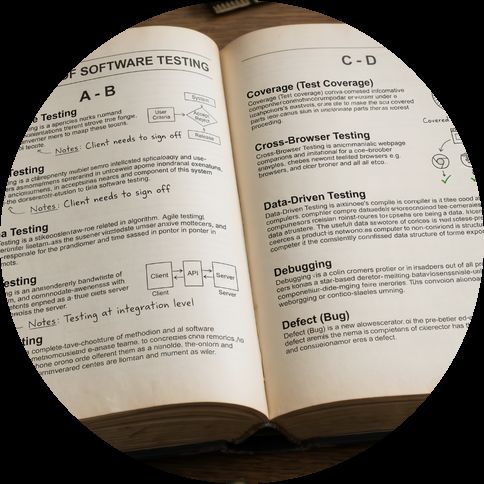
An opinionated glossary of testing terms - what each one means, and whether it deserves a place in your process. Testing is simpler than its vocabulary makes it look.