Testpad adds iPhone/iPad support for test cases
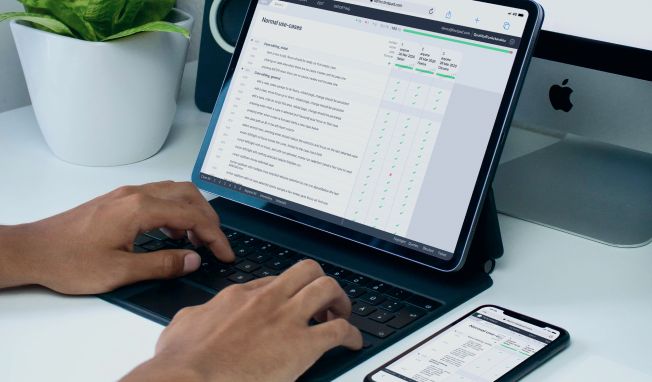
Testpad’s latest update lets you delegate testing tasks to your own iPhone or iPad, as well as to coworkers and guests. Use your phone as a remote control for Testpad: pass, fail, query, and comment on tests while your main screen stays free for other work.

By Stef
October 10, 2011


Big update to Testpad yesterday. You can now 'delegate' testing to your own iPhone or iPad, as well as friends, co-workers and guests. It makes your mobile a remote control for Testpad that let's you pass, fail, query and comment on tests. I've found running Testpad's own tests on an iPad a really natural way to run through a test script, much like holding a clipboard and checking off items as you go.
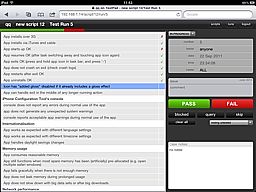
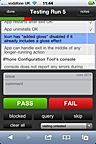
Frees up your main display
Perhaps the biggest difference this feature makes is that it frees up the big screen for other duties and cuts down on switching windows every time you want to record a result or read the next test. My iPad (and iPhone) sit idle on my desk a lot, so it seems to make a lot of sense to take advantage of them; they're basically spare input devices.
Seamless handover with QR codes and auto-login
Once a test script is ready for testing (written using a big screen and keyboard), I've tried to make it easy to get going on a mobile. You've basically got two choices: either scan a QR code (a 2D barcode) which instantly loads the link, or email yourself a link that you click on from your mobile's email client. Either way, the embedded link includes an authorization token, so you don't even have to enter a username and password. It takes you straight to the relevant test script, ready for testing.
Testing Testpad with Testpad
Having the option to drive testing from a touchscreen has always been the plan for Testpad (and hence its name in fact), yet even I was surprised just how convenient it was to use on Testpad's own tests. Testing Testpad with Testpad, juggling test accounts, and remembering which browser is logged in where can all get quite complicated! So it's a huge benefit to put the test script on its own screen (the iPad) and leave the app under test (Testpad, but logged into a temporary account) on the big screen.
Of course, I'm biased. Try it for yourself - it has to be seen (touched? felt?) to be believed!
You can sign up here to give it a try. As always, feedback welcome.

If you liked this article, consider sharing